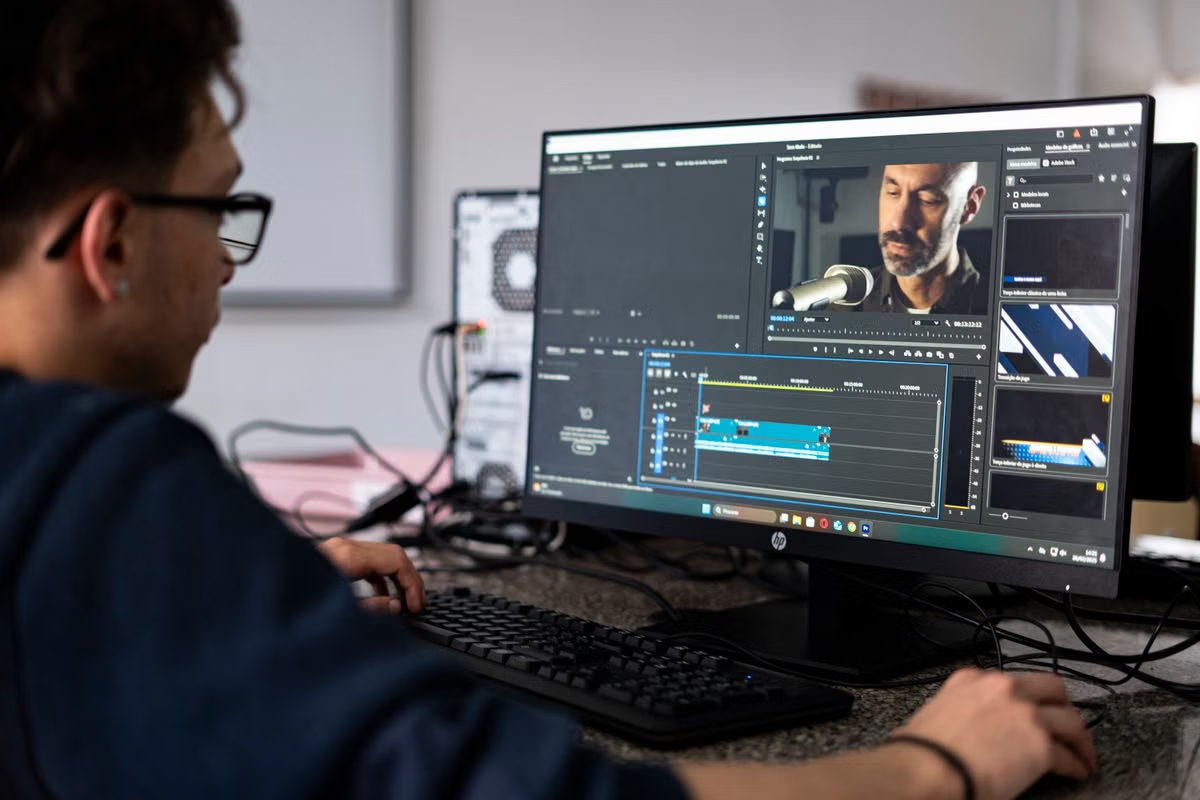
Mac is your daily work environment, with local peripherals or consistent color review? Buy.
Mac work is occasional, seasonal, or tied to a few client projects? Rent first, then reassess.
Use a hybrid setup if Windows remains your main computer but you need Mac-only apps for specific work. In every case, test a real project before making a long-term commitment.
Who should read this:
Designers who rely on macOS creative apps every workday and are considering a Mac Studio M5 Max.
Windows-first creators and small studios weighing a purchase against project-based remote Mac access.
Last updated September 27, 2026. Product and availability details were checked against Apple’s Mac Studio announcement and official Mac Studio specifications. This confirms product information, not KVMFLUX configurations, rental availability, or performance.
How should you decide whether to buy or rent a Mac Studio M5 Max?
For designers deciding whether to buy or rent a Mac Studio M5 Max, start with the work that must happen on macOS, not the appeal of a particular machine. Buy when you need a Mac present and ready for daily work. Rent when Mac use is temporary or project-driven. Keep Windows as your main machine and add remote Mac access when the two environments have distinct jobs.
The deciding factor is your work pattern: continuous local use favors ownership; occasional Mac-only work favors a project trial.
Apple confirmed that Mac Studio is available with M5 Max and M5 Ultra, with customer deliveries beginning September 22, 2026. Apple also says the 512GB unified memory configuration is expected in late October 2026. Those details establish what Apple has announced and when; they do not show that a given configuration is necessary for your work, or that it is available as a rental. Check Apple’s announcement and technical specifications before purchase decisions.
| Your work pattern | Better starting choice | What to validate before committing |
|---|---|---|
| Mac apps are open throughout your workday; you use local peripherals and review color on a fixed display | Buy a local Mac | Confirm your app, plugin, storage, display, and peripheral requirements against the official specifications. |
| You use a Mac-only app for occasional client projects | Rent for the project | Test a real file, needed plugins, fonts, exports, and the complete handoff. |
| Windows remains your main workstation, but you need Mac access for a few parts of a job | Hybrid setup | Decide which tasks stay on Windows and which must happen in macOS. Test file movement in both directions. |
| A small studio has steady, simultaneous Mac demand | Evaluate fixed equipment | Define who gets access, who manages accounts, and how shared files and delivery are handled. |
| A studio needs extra Mac capacity only for a temporary workload peak | Consider project-based rental | Verify concurrent access, permissions, storage, and responsibility for retrieving deliverables. |
The table is a decision aid, not a performance ranking. Mac Studio M5 Ultra is another officially announced configuration, but choosing between chip options is not a substitute for checking which applications, project files, and peripherals your workflow actually requires.
What does the choice look like for each creative role?
A purchase decision changes with your delivery responsibilities. The same Mac can be essential for one person and unnecessary overhead for another.
UI, graphic, and brand designers who work on Mac all day
If you edit native Mac project files every day, keep shared libraries close at hand, and move repeatedly between design apps, a permanent workstation can make the workflow simpler. You do not have to plan each project around when remote access is available. You can also connect the display and input tools you use for sustained work.
Sketch is a useful example because native editing and web-based review are not the same task. Its setup documentation describes the Mac app and its system requirements; its explanation of what Sketch is and how its web app works can help you identify which parts of a client workflow require the Mac app. Check Sketch’s setup guidance against the system you plan to use.
Before buying, distinguish between “I need to see this file” and “I must edit the native file, preserve its structure, and return it ready for continued work.” If a browser-based review is enough, owning a workstation solely for review may be difficult to justify. If native editing is part of your daily deliverable, a continuously available local Mac is more likely to fit.
Windows-first designers handling occasional Mac-only work
For a Windows-first designer, the key question is not whether a Mac app is useful. It is whether the project requires you to edit inside macOS or merely review, comment, export, or check a client’s environment. Those tasks carry different requirements and different levels of commitment.
A project-based remote Mac rental can be a reasonable first step when the work is intermittent. But include preparation and wrap-up in your plan. You may need time to install or sign in to apps, confirm plugin access, locate fonts, copy source files, make revisions, export the right formats, and return the files to your normal workspace. Counting only the hours spent actively editing understates the time and responsibility involved.
Use the KVMFLUX use-case overview to consider whether remote access fits your type of task, then confirm the actual service terms before relying on it for a client deadline. Do not infer available configurations, locations, or delivery methods from Apple’s product announcement.
Video, motion, and 3D creators with demanding review cycles
Local hardware is a stronger fit when your work depends on continuous preview, quick interaction, attached capture or control devices, or repeated work with a large local project. A remote Mac can still be worth testing for a discrete Mac-only task, but it should not be treated as a guaranteed equivalent to sitting at a workstation.
Remote desktop quality depends on the whole workflow, not just the host computer. Network conditions affect interactive work; Apple’s remote desktop network guidance is a useful reference for understanding that connection quality matters. For display work, Apple’s guide to setting a display for a specific workflow reinforces why display setup is part of the work, rather than a detail to assume away.
If your process uses Adobe Premiere, compare the actual host and project against Adobe’s published technical requirements. Requirements do not prove that a particular remote session will provide responsive playback or a suitable review experience. Test your footage, effects, plugins, audio devices, preview, export, and file retrieval before assigning the setup a deadline-critical role.
| Decision factor | Local purchase | Remote Mac rental | Hybrid workflow |
|---|---|---|---|
| Daily availability | The Mac stays on hand, subject to your own device maintenance | Access depends on the service, connection, and rental terms | Windows remains available; Mac access is reserved for tasks that need it |
| Local display and peripherals | Directly suited to a workflow built around connected equipment | Do not assume remote access supports your preferred local devices in the same way | Keep peripheral-dependent work local and test remote tasks separately |
| Irregular project volume | You retain the hardware even when Mac demand drops | Can match a defined project period, subject to actual terms | Add access only when the project requires it |
| Setup and administration | You manage the device, accounts, apps, updates, and storage | You must verify access, permissions, environment, and file retrieval | You manage both sides and need a clear transfer process |
| Color-critical review | Use the display and setup you have validated locally | Validate the full viewing path; do not assume remote viewing is color-accurate | Keep final color review on the trusted local setup if remote viewing is unverified |
| Long-term project files | Can remain on a workstation or storage you manage | Confirm where files are stored and how you will retrieve them | Set a clear source-of-truth location and transfer procedure |
Neither rental nor ownership removes the need to confirm software licensing, account access, backups, or client data rules. Those obligations remain with you or your studio.
Where do designers and studios usually underestimate the cost?
Purchase price and rental price are only part of the decision. Include the work needed to make the environment dependable.
- Device ownership and care: With a purchased Mac, you are responsible for setup, accounts, updates, security, backups, storage planning, and troubleshooting. A dedicated machine may be convenient, but it does not manage itself.
- Remote preparation: With a rental, access alone does not prepare your project. You still need to check app availability, sign-in requirements, plugins, fonts, permissions, and source-file transfer.
- Display and input expectations: A local color-critical setup depends on your display and how you have configured it. A remote session does not guarantee that the image you see matches the physical output you will deliver.
- Project continuity: A late revision can change the value of a short rental. Plan for client feedback, re-exports, and final retrieval rather than ending your estimate when active editing stops.
- Team coordination: Shared projects need a clear owner for credentials, permissions, source files, and final exports. If several people require access, confirm that the setup and service terms support the actual way your team works.
- Unverified software dependencies: A project can open but still fail to match the expected result if a plugin, font, linked asset, or export setting is missing. A successful launch is not the same as a successful delivery.
These are not reasons to avoid remote access. They are reasons to test the full job before using it for a delivery that cannot slip.
A project acceptance checklist before you commit
Use one representative project, not a blank file or a simple demo. The goal is to find problems while you can still change the plan.
- [ ] Write down the required work. Separate native editing, review, comments, previews, export, and file handoff. Mark the parts that specifically require macOS.
- [ ] Check app and system requirements. Verify the software and plugin requirements from the relevant official documentation. For a Mac purchase, check Apple’s current Mac Studio specifications; for software, check its own current requirements.
- [ ] Prepare the real project. Use a representative file with the fonts, linked assets, layers, effects, media, or plugins your deliverable depends on. Confirm you have permission to use it in the selected environment.
- [ ] Test the tools you actually need. Connect or simulate the keyboard, tablet, audio, capture, or other peripherals that are essential. Do not assume a remote environment will handle local devices exactly like a workstation.
- [ ] Complete a normal revision. Make a meaningful edit, save, close, reopen, and check that the project retains its expected content. Ask a teammate or client to review if collaboration is part of the job.
- [ ] Export and inspect the deliverable. Check the required formats, naming, dimensions, audio, color workflow, and any client-specific handoff requirements. A successful export alone does not prove the result is acceptable.
- [ ] Retrieve the files and confirm ownership. Move the final project and exports back to the location your team uses. Verify that you can open the retrieved files and know who is responsible for keeping them.
- [ ] Estimate the complete project period. Include setup, client feedback, revisions, export, and retrieval. For a rental, check current pricing and terms directly on the KVMFLUX pricing page; do not assume an unverified rate or rental period.
If any essential step fails, do not treat the environment as ready for a live deadline. Change the setup, keep that task local, or extend the trial so you can resolve the issue before committing.
How should freelancers and small studios choose?
Freelancers should make the decision around the shape of their client work. If most work stays on Windows and only selected projects need a Mac app, purchasing can leave you maintaining a machine that is idle between assignments. Renting for the complete project cycle can test whether Mac access fits without turning a temporary need into a permanent workstation decision.
That calculation changes if Mac work becomes continuous. If you are repeatedly editing native Mac files, returning for frequent revisions, or keeping active project libraries available for clients, ownership may be easier to manage. Consider how much work remains on the device, how quickly you need to resume a project, and who handles backups and updates. These questions matter even when the purchase price looks manageable.
For a small studio, ask whether Mac demand is shared or concurrent. One person using a Mac in rotation is different from several people needing independent access at the same time. A fixed setup can make sense when the workload is steady and the team can standardize devices, accounts, and file handling. A short-term rental can help cover a temporary project peak, but only after you agree who signs in, where files live, how permissions work, and who retrieves final deliverables.
A hybrid arrangement is often the practical middle ground for a Windows-led team. Keep Windows machines for work that already runs well there. Use Mac access for the native editing, client verification, or delivery tasks that require it. That is not automatically the cheapest arrangement: managing two environments creates extra handoffs and support work. It is worth considering when those tasks are limited and the team can keep file ownership clear.
Frequently asked questions
Is the Mac Studio M5 Max a sensible long-term purchase for a designer?
It can be, if you use Mac-only creative apps throughout the workday, keep projects and libraries resident, and rely on a calibrated local display or connected peripherals. Before buying, check your actual app and plugin requirements against Apple's current specifications, then test a representative project. If your Mac work is intermittent, a rental trial can expose workflow issues before you take on permanent hardware and maintenance.
Should I buy a Mac Studio or rent a remote Mac for occasional Sketch work?
Start by separating native editing from review and handoff. Sketch's Mac app is needed for native editing, while some review tasks can use its web app. If you need the Mac app only for client projects, rent for the full project cycle and verify fonts, plugins, file permissions, exports, and client review before committing. Buy when that need becomes steady and daily.
Should video and motion projects use a purchased Mac Studio or a project rental?
Buy when you need continuous local preview, dependable access to attached devices, and uninterrupted work across recurring projects. A remote Mac can be worth testing for occasional Mac-only tasks or a short workload peak, but don't assume it will feel like a local workstation. Test your footage, plugins, input devices, playback, export, and file retrieval before using it for a deadline.
How should a small design studio decide whether to buy or rent a Mac?
Track who needs Mac access, whether people need it at the same time, how often projects move between team members, and who manages accounts, files, and delivery. A fixed Mac is easier to standardize for continuous shared demand. A rental can cover a temporary peak, but only after the team agrees on access, storage, permissions, and who is responsible for retrieving final files.
If your Windows setup already handles most of your work, buying a Mac adds a device to maintain, another environment to secure, and a cost that continues between Mac projects. A remote Mac avoids keeping a dedicated machine idle, but adds network dependence, setup, and file-transfer steps; it is not a substitute for a local workstation when your work depends on connected peripherals or trusted color review. For occasional Mac-only work, test a representative project through remote Mac rental before you buy. If the test exposes a workflow limitation, plan a fixed workstation instead; if it passes, use the evidence from your own deliverables to choose a rental or hybrid arrangement through KVMFLUX.
Try a Remote Mac Before You Buy
Test your design workflow on a dedicated KVMFLUX Mac mini M4 before committing to new hardware. Open a full macOS desktop over VNC and review your project in a familiar working environment. Rent by the day, week, month, or quarter to match your project timeline. Choose from six regions and connect to your Mac mini M4 within minutes.